
5 min read
How to Build an AI Agent
A step-by-step guide to creating a custom AI agent — connected to your real tools and data — without writing a single line of code.
AI agents are quickly becoming the most practical way to automate work and serve customers. Unlike a basic chatbot that just reads from a script, a real AI agent can access live data, take actions across multiple apps, and hold context across a conversation. This guide walks you through how to build one from scratch.
What is an AI agent?
An AI agent is a program powered by a large language model (like GPT-4) that can:
- Understand natural language questions from users
- Access real-time data from external tools (CRMs, spreadsheets, databases)
- Take actions — like creating a support ticket, sending an email, or updating a record
- Remember context across a conversation to give relevant answers
The key difference from a standard chatbot: an AI agent is connected to the real world. It doesn't just generate text — it acts.
What you need to build an AI agent
To build a production-ready AI agent you need:
- A language model — GPT-4, Claude, Gemini, or similar. This is the brain of the agent.
- A system prompt — instructions that define how the agent should behave, what it knows, and what it can and can't do.
- Tool integrations — connections to your apps (CRM, spreadsheets, help desk) so the agent can access live data and take actions.
- A deployment layer — somewhere for users to actually talk to the agent (your website, a dedicated URL, a Slack channel).
You can build all of this from scratch with code — or use a platform like Agenthost to handle the infrastructure for you and go live in minutes instead of months.
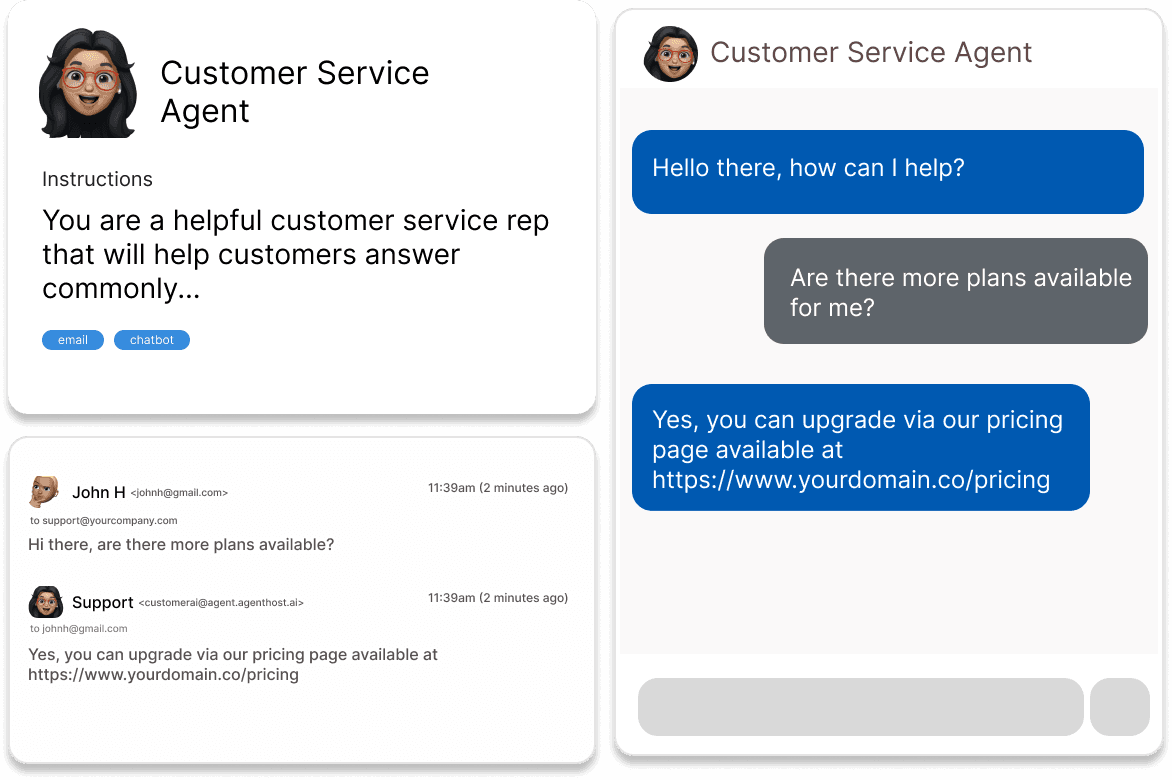
Build your AI agent on Agenthost
Agenthost handles the language model, integrations, and deployment infrastructure for you. Connect 7,000+ apps, train on your data, and go live in 5 minutes — no code required.
Trusted by teams at




Step-by-step: how to build an AI agent
Step 1: Define what your agent should do
Start with a single, specific job. The most effective AI agents are specialists, not generalists. Examples:
- Answer customer support questions about your product
- Look up order statuses from your database
- Qualify inbound leads and book meetings
- Let your team query your internal data in plain English
Write down in one sentence: "My agent should help [who] do [what] by accessing [which data]." This becomes the foundation of your system prompt.
Step 2: Write your system prompt
The system prompt is a set of instructions the AI reads before every conversation. It defines the agent's personality, knowledge, constraints, and goals. A good system prompt covers:
- Role — "You are a customer support agent for Acme Corp."
- Scope — "Only answer questions about our pricing, products, and returns policy."
- Tone — "Be friendly and concise. Use bullet points for lists."
- Escalation — "If you don't know the answer, say so and direct the user to support@acme.com."
On Agenthost, you write this in plain English and the platform formats it correctly for the underlying model.
Step 3: Connect your tools and data
This is what makes an AI agent genuinely useful. Without tool connections, your agent is just a chatbot that repeats whatever you put in the prompt.
Depending on your use case, you'll want to connect:
- Documents and PDFs — your knowledge base, product documentation, policies
- CRM data — HubSpot, Salesforce, Pipedrive
- Spreadsheets — Google Sheets or Airtable for live lookup data
- Help desk — Zendesk, Intercom for support ticket history
- Your website — crawl your own site to train the agent on all public content
On Agenthost, each integration is a single OAuth click. No API keys to manage, no code to write.
Step 4: Test it thoroughly
Before deploying, test your agent with the hardest questions you can think of — especially edge cases and things it should not answer. Common things to test:
- Does it answer within the scope you defined?
- Does it handle questions it doesn't know gracefully?
- Does it give accurate answers based on your real data?
- Does it maintain context across a multi-turn conversation?
Iterate on your system prompt based on what you find. Most agents need 2–3 rounds of refinement before they're ready for users.
Step 5: Deploy and share it
Once you're happy with how the agent performs, deploy it where your users are:
- Embed on your website — paste one line of iframe code
- Share a direct link — agenthost.ai/chat/your-agent-name
- Custom domain — deploy on agent.yourcompany.com with your own branding
Step 6 (optional): Monetize it
If you're building a specialist AI tool for customers — not just internal use — you can charge for access. Agenthost has built-in Stripe integration that lets you set message limits per plan, collect payments, and manage subscriptions. Many creators earn $1,000–$10,000/month from agents they built in a single afternoon.
What about AI agent frameworks?
If you're a developer who wants full control, popular AI agent frameworks include LangChain, LlamaIndex, CrewAI, and AutoGen. These let you build custom multi-agent pipelines with code. The tradeoff: significant engineering time (weeks to months) and ongoing infrastructure management.
For most businesses and creators, a no-code platform like Agenthost gets you to production faster and with less maintenance overhead. You can always export and rebuild with a framework later once you've validated the use case.
Summary: how to build an AI agent
- Define the agent's specific job (one sentence)
- Write a system prompt: role, scope, tone, escalation
- Connect your tools and data sources
- Test with edge cases, iterate on the prompt
- Deploy — website embed, link, or custom domain
- Optional: monetize with gated access
Ready to build your AI agent?
Agenthost is the fastest way to go from idea to live AI agent. Connect your tools, train on your data, and deploy in minutes. Free to start.
Trusted by teams at
Want to see more guides like this? Browse all articles →